
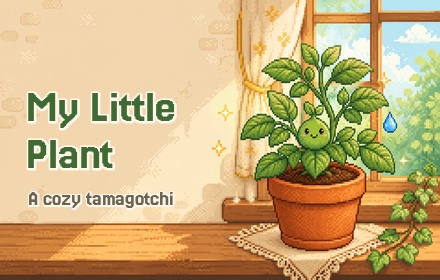
A game that takes a month, a few seconds at a time
Most games want your evening. My Little Plant wants ten seconds between tasks. The plant grows in real time, even when the popup is closed: open it with your morning coffee, see the soil has dried, water it, close it.
There are no notifications and no reminders. Forget it for too long and it starts to wilt, which is exactly what makes remembering feel good.
Why it works
A break that stays small
Open, check, water, close. A pause between tasks that doesn’t turn into an hour of scrolling.
A reason to come back
Each day the plant is a little different: a new leaf, a dry one to trim, roots that want a bigger pot.
A little mystery
You choose a seed by a hint (sun-lover, cold-hardy, thirsty, patient) and only the finale tells you what it was.
No pressure
No timers to beat, nothing to buy, no streaks to lose. If the plant doesn’t make it, you plant another.
Features
Four secret seeds
Each comes with a hint, not a name. Some sprout in a couple of weeks, others take up to two months.
Pots that matter
Terracotta, ceramic, wood or plastic. Each holds moisture differently, so the pot sets your watering rhythm.
Real care
Water when the soil dries, but not too much: overwatering hurts too. Trim dried leaves and repot when the roots get cramped.
Weather and a forecast
Sunny, hot, cold and rainy spells change how fast the soil dries and the plant grows. A small forecast helps you plan.
A finale
Grow it all the way and the game reveals which plant you raised, how many days it took and how the run went.
Completely private
No account, no tracking, no network requests. Your plant lives in this browser.
How it works
- Install it and pin the iconClick the puzzle icon in Chrome’s toolbar and pin My Little Plant, so the pot is one click away.
- Pick a seed and a potRead the hints, choose, and plant. The clock starts now.
- Check in when you likeThe plant keeps growing while the popup is closed and catches up to the present moment when you open it.
Questions
Do I have to play every day?
A short check most days is the rhythm the game is built for. The pot and the weather decide how fast the soil dries, so there is room for a busy day.
Will it send me notifications?
No. Remembering is part of the game.
What if my plant dies?
You see how far it got, and you can plant a new seed right away.
Does my plant follow me to another computer?
No. The save lives only in this browser and is not synced.
Is it free?
Yes, free and open source under the MIT license. The code is on GitHub.